




What's Drive Mad 2 game?

Drive Mad 2 is less about a finish-line sprint in the traditional sense and more about making a heavy 4x4 respect physics that rarely forgive overconfidence. Each bite-sized stage is a new arrangement of ledges, ramps, questionable bridges, and sudden airtime—threaded together so the real opponent is your own right foot. Momentum is useful until it is not, and the split second where the chassis wants to somersault is the moment the run quietly asks for patience instead of bravado.
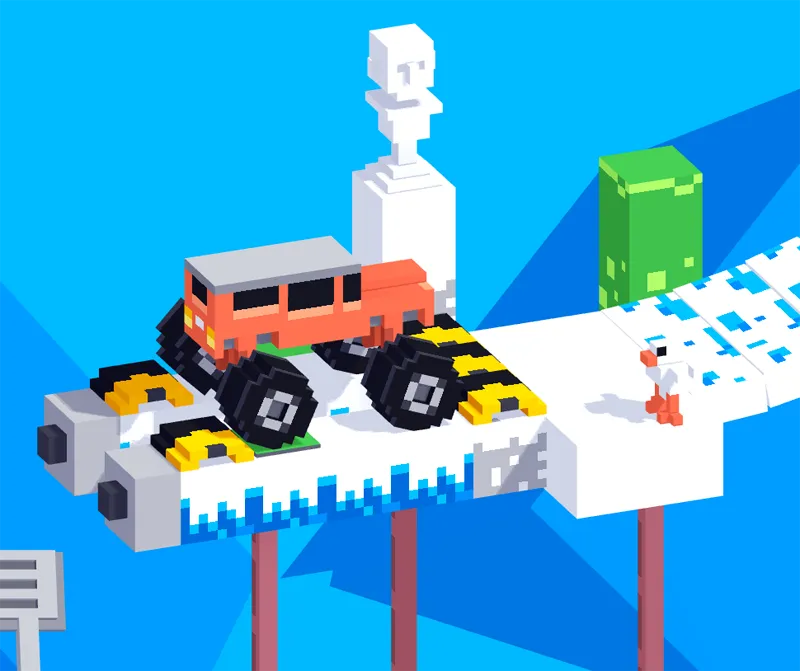
Compared with a flat arcade racer, this take on Drive Mad 2 leans into off-road posture: the truck wants to list, wobble, and re-settle, and the camera rewards players who look one obstacle ahead. Seasonal theming in many builds nudges the art toward crisp air, white ground cover, and rustic props that read clearly against narrow tracks—handy when your actual problem is landing square on a strip barely wider than the body. The lesson repeats in different costumes: the route might look short, but the margin for a lazy landing is not.
What keeps sessions sticky is the rhythm of reset → understanding → adjustment. You are not asked to execute a perfect racing line for minutes on end; you are asked to decode the gimmick in front of you, nudge the throttle, catch the tilt, and still arrive at the exit with rubber pointed at the next platform. Some days that means crawling; other days a confident hop. Drive Mad 2 is clearest about what it values when a cautious clear beats a spectacular crash—precision over a leaderboard fantasy of raw miles per hour.
On Drift Boss Unblocked you can fire the build from the player above, keyboard-first, and walk through a practical breakdown below: a full key map, three habits to stop flips from defining your day, a closer look at how the sequel nudges difficulty, and a FAQ for common “why did that flip happen?” questions. If you are new to the series, treat the first few clears as a tutorial in mass and grip; if you are returning, treat each fresh layout as a new trap dressed in familiar tools.
How to Play Drive Mad 2
1. Line up forward power, reverse, and left-right tilt in Drive Mad 2

2. Read the trap before the truck reads you

3. When in doubt, shorten the run and own the reset
How the sequel steers the challenge compared with a straight repeat
Follow-up physics drivers often get labeled “more of the same” before you notice what actually moved. Drive Mad 2 nudges the design toward tighter tolerances: narrower strips of safe ground, more aggressive gaps between platforms, and obstacles that assume you can already manage basic tilt. That does not erase the goofy charm; it means the joke lands a beat faster. Where an earlier run might have forgiven a wobbly landing, the new layout often gives you a shorter catch zone, which pushes practice time into the muscle memory for throttle taps you swore you already had.
The vehicle roster also matters more in spirit than in spreadsheet stats. A taller rig with a long wheelbase behaves differently in the air than a stubbier shell; choosing what to drive into a new obstacle set is a soft strategy layer on top of raw control skill. The unlock or rotation pattern depends on the exact build, but the mindset stays: match the tool to the terrain, then refine your hand instead of blaming the first truck you tried.
Winter-styled backdrops, clarity, and why the art helps the gameplay
When the world picks up a frosty palette, contrast becomes a competitive advantage. Snowy ground reads plainly against drop-offs; props and barriers silhouette cleanly so you are not squinting for the edge. That is not just wallpaper—Drive Mad 2 is easier to read when the eye can separate “safe” from “void” at a glance. The seasonal dressing also nudges you toward a slower, more considered pace in your head, which is exactly the headspace a physics puzzle rewards.
Sound and motion in these builds are usually lighthearted, but do not let the friendly presentation fool you: the same cheery run can still end in a three-second tumble if you treat a short ramp like a drag strip. Treat the look as a calm UI for a hard lesson, not as permission to default to full send.
Touchscreens, input lag, and when to reach for a keyboard
On devices where the build exposes a two-sided touch model—one region to add power, the other to scrub speed—the run becomes about thumb discipline instead of key spacing. The challenge is the same, but the error profile changes: fat-finger drifts, accidental long presses, and a smaller mental model of how much tilt you are asking for. If a stage keeps breaking the same way on glass, try the same attempt on a keyboard: you might discover the failure was a millisecond of hold time, not a secret trap in the track.
On desktop, close unrelated tabs, avoid thermal throttling on a laptop that is on battery, and let the first load finish before judging responsiveness. A physics car that stutters mid-hop will feel unfair even when the level is not. Smooth frames make the tilt inputs predictable, and predictable input is how you stop chaining panic corrections.
If you are deciding where to go next in this car-game corner of Drift Boss Unblocked
The original flavor of the first chapter still lives on our Drive Mad page for players who want a gentler on-ramp before the tighter margins here. If you are ready for a wider garage fantasy with drift scoring layered on, the Crazy Drift guide walks a different set of skills—less hop-and-land, more line and slide. Drive Mad 2 is the short-attention, high-reset cousin: perfect when you have ten minutes, a stubborn level number, and a point to prove to yourself that the next run will be calmer than the last.
FAQs about Drive Mad 2
You can play Drive Mad 2 unblocked online on https://driftbossunblocked.com/games/drive-mad-2/.